


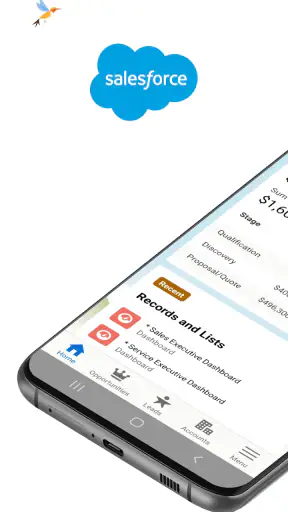
I found Salesforce most useful when I treated it as a mobile command center rather than a complete replacement for the desktop experience. The app is built for business work, and its main value is simple: it lets me manage the day, update customer or sales records, and check dashboards while I am away from my desk. That sounds straightforward, but the difference becomes clear when a decision depends on current information and opening a laptop would slow everything down.
Salesforce is a free business app from Salesforce.com, inc., available for users aged Everyone. It has been on mobile since March 7, 2011, and the current version is 262.050.0, requiring iOS 12 or later. Its average rating is 3.5 from around 60 thousand ratings, while more than 5 million people have installed it. Those figures suggest a widely used tool with a mixed but substantial mobile audience, rather than a lightweight personal organizer.
Why the mobile command center matters
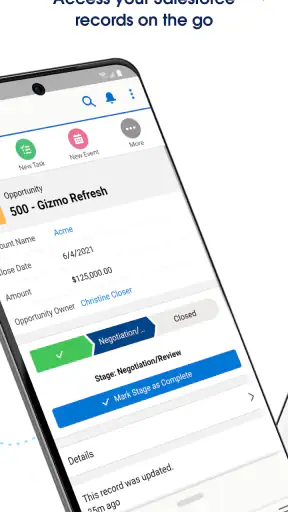
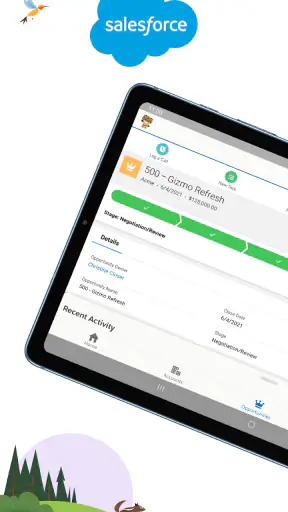
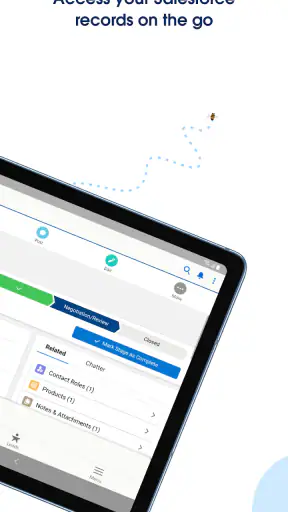
The capability I kept coming back to was the combination of record updates and dashboard access in one place. The app is not merely a viewer for business information. Its practical purpose is to help me keep Salesforce current while work is happening: after a meeting, during a commute, between appointments, or while preparing for a conversation with a customer.
That distinction matters because business systems lose value when information arrives late. A sales opportunity that is not updated after a call can give a manager an outdated picture of the pipeline. A task left untouched can disappear into a busy day. A dashboard checked before a meeting can reveal a trend that changes the questions I ask. The mobile app shortens the distance between an event and the record of that event.
The strongest idea here is not mobility by itself; it is reducing the delay between real-world work and the business record. I can finish a conversation, open the relevant record, add the useful detail, and leave the system in a better state before moving on. That is more valuable than simply having a familiar interface on a smaller screen.
Salesforce also makes sense for teams that already organize their work around Salesforce records, dashboards, and daily activity. If a company uses a different customer-management system, this app does not become useful just because it is installed. Its benefit depends on the surrounding Salesforce setup and on whether the team actually keeps its records updated.
What I could do without returning to a desk
In ordinary use, I would open the app to check the day’s business context, review a record, make an update, and inspect a dashboard. The workflow is especially helpful when I already know what I need to find. Instead of reconstructing a customer conversation from memory later, I can make the update while the details are still fresh.
I also liked the way the app encourages a more immediate habit of record keeping. A desktop system often becomes something I visit in batches: I collect notes, postpone updates, then try to remember everything at once. A mobile tool changes that rhythm. It makes small updates feel more manageable, although the smaller display still means I would not choose it for a long administrative session.
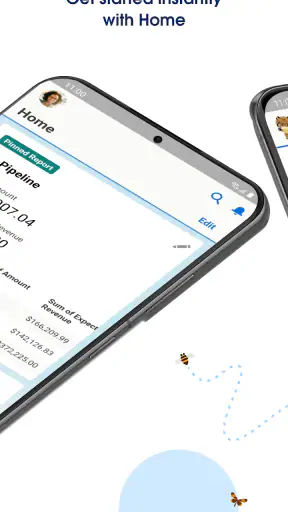
Dashboards are another important part of the experience. On a phone, I am not trying to perform a deep analysis. I am looking for a signal: whether activity is moving in the expected direction, whether a target needs attention, or whether a conversation requires more preparation. The app works best for that quick reading of the situation, not for replacing every detailed report or planning screen used on a computer.
How the workflow feels in practice
The most effective routine is to use the app in short, deliberate moments. Before a meeting, I would check the relevant record and dashboard information. Immediately afterward, I would update the record while the outcome is still clear. Later, I could return to the dashboard to see how that change fits into the wider picture. This creates a useful loop: prepare, act, record, review.
That loop also reveals the app’s main limitation. Salesforce is powerful because business information can be structured and connected, but that structure can make quick entry less casual than writing a note in a basic notes app. I have to think about where an update belongs and what information is important enough to save. The extra care is worthwhile for shared work, but it can feel heavy for a private reminder.
My practical tip is to decide on a small update habit before relying on the app. For example, after every customer conversation, record the outcome and the next action before starting another task. This is more effective than opening Salesforce randomly and hoping that motivation will appear. The mobile version is at its best when it supports a repeatable behavior rather than acting as an emergency archive.
Another useful approach is to use dashboards as preparation tools rather than passive reports. I would check them before a call, identify the one or two points that need explanation, and then use the record to add context after the call. That keeps the dashboard connected to action. Simply looking at charts without updating the underlying records will not solve the information problem.
A realistic day with Salesforce
Imagine a sales representative leaving the office for several customer visits. Before the first appointment, the representative checks the customer’s record and reviews the relevant business dashboard. After the meeting, there is no need to wait until the evening to reconstruct what happened. A short update can preserve the outcome and keep the next step visible to the wider team.
Between visits, the representative can use the app to confirm priorities for the next conversation. If the day changes, the mobile access makes it easier to keep the record aligned with reality. At the end of the day, a manager looking at shared information has a better chance of seeing current activity instead of yesterday’s assumptions.
This scenario shows why the app is more than a convenience. It supports continuity. The person in the field, the manager following progress, and the next colleague who opens the record can all work from a more recent account of events. That only happens when updates are made consistently, but the phone makes consistency more achievable.
I would use the same pattern for a manager moving between meetings. A quick dashboard check can help identify which area deserves attention, while record access makes it possible to understand the detail behind a number. The mobile screen is not ideal for a long investigation, but it is well suited to deciding what deserves a deeper look later.
Where it beats simpler alternatives
Compared with a notes app, Salesforce offers a shared business context instead of isolated text. A note may be fast, but it can remain disconnected from the customer, opportunity, activity, or dashboard that other people need to see. Salesforce asks for more structure, yet that structure is precisely what makes the information useful to a team.
Compared with a spreadsheet, the app is better suited to checking live business records while moving around. Spreadsheets can be flexible, especially for personal analysis, but they often depend on manual organization and can become difficult to maintain across a group. Salesforce is the more natural choice when the work already revolves around Salesforce records and dashboards.
Compared with a desktop browser, the mobile app wins on immediacy. I can use it in the small gaps when a computer is unavailable. The trade-off is screen space. A browser or desktop setup remains preferable when I need to compare many fields, work through a large amount of information, or perform careful administrative editing.
Compared with a simple task manager, Salesforce provides more business context but less simplicity. A task app is usually quicker for personal errands and uncomplicated reminders. Salesforce becomes the better option when the task is tied to a customer record, a sales process, or information that colleagues also depend on.
The trade-offs I noticed
The first trade-off is depth versus speed. The app gives access to meaningful business information, but meaningful information usually requires a structured system behind it. New users may need time to understand the organization of records and dashboards before the mobile workflow feels natural. I would not recommend installing it casually without knowing how a team intends to use Salesforce.
The second is mobile convenience versus detailed editing. The phone is excellent for checking, updating, and keeping momentum. It is less comfortable for extended data work. If my job involved spending hours reviewing many records or building a complicated view, I would prefer the larger workspace of a computer and use the mobile app as a companion.
The third is immediate access versus disciplined data quality. Having Salesforce in my pocket does not automatically produce accurate records. Fast updates can still be incomplete or vague if I rush them. I found that the best results come from entering concise, useful information: what happened, what matters, and what should happen next.
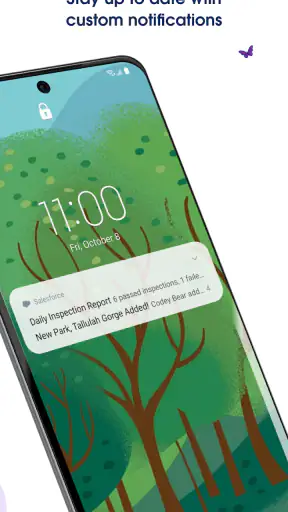
There is also a human trade-off. Some colleagues may appreciate the ability to work from anywhere, while others may feel that constant access encourages them to remain available all the time. I see the app as a tool for flexibility, not as a reason to monitor every dashboard continuously. Setting personal boundaries is important, particularly when mobile notifications or work habits begin to blur the end of the day.
Who will gain the most from it
Sales representatives, account managers, field teams, and business managers are the clearest audience. These users often move between conversations and need current records without returning to a desk. The app is also useful for anyone whose decisions depend on dashboards but who does not want to wait until a desktop session to see whether attention is needed.
It is a good fit for a team that already has clear Salesforce processes. If everyone understands which records to update and what information belongs there, mobile access can make those processes more practical. The app helps most when the organization values timely updates and uses dashboards as part of real decisions rather than treating them as decorative reports.
I would be more cautious about recommending it to a solo user who only needs a simple contact list or personal to-do list. A basic notes or task app will probably feel faster and require less maintenance. Salesforce earns its complexity when shared records, structured workflows, and business visibility matter.
I would also avoid making it the only tool for someone who performs heavy analysis or detailed system administration. The mobile experience is valuable for quick decisions and updates, but a larger screen remains the sensible choice for dense work. The best arrangement is complementary: use the phone to stay current, then use a desktop environment when the task demands concentration and space.
My recommendation after using it
Salesforce is worth choosing when your work already lives inside Salesforce and your main problem is staying current while away from a desk. Its free price removes the initial cost barrier, and its Everyone content rating makes it broadly accessible, but those points are less important than the fit with your team’s working habits.
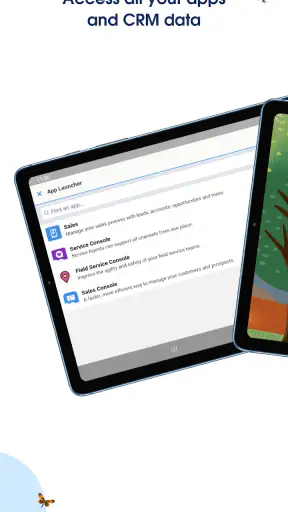
I would recommend starting with one repeatable workflow instead of trying to use every available area immediately. Check the relevant record before a meeting, update it afterward, and use a dashboard to decide what deserves attention next. That small routine demonstrates the app’s real value more clearly than simply browsing through its screens.
My final view is positive but specific. This is not the easiest business app for casual personal organization, and I would not choose it for long sessions of detailed work on a phone. It is much better as a mobile extension of an established Salesforce process. When that process is already in place, the ability to manage the day, update records at the right moment, and read dashboards between appointments can turn scattered activity into information the whole team can use.
For people who need that connection between field work and shared business records, Salesforce is a practical companion rather than just another app on the phone. For everyone else, a simpler alternative may be more pleasant. The deciding question is not whether mobile access sounds useful; it is whether your daily work becomes better when every important conversation can be reflected in the system before the details fade.


